Written by Jackson Pearce Student engineer and creator of TalonTodo
I used to sit down to study and immediately feel overwhelmed. Three hours of chemistry homework stretched ahead of me like a marathon. I'd check my phone, get distracted, take "quick breaks" that turned into hour-long scrolling sessions, and end up spending six hours to finish what should have taken three.
Then I discovered the Pomodoro Technique, and everything changed. Instead of facing three hours of work, I faced 25 minutes. Just 25 minutes. I could do that. And once I started, I usually kept going. The technique transformed how I work, and it's why I built a Pomodoro timer directly into TalonTodo.
What Is the Pomodoro Technique?
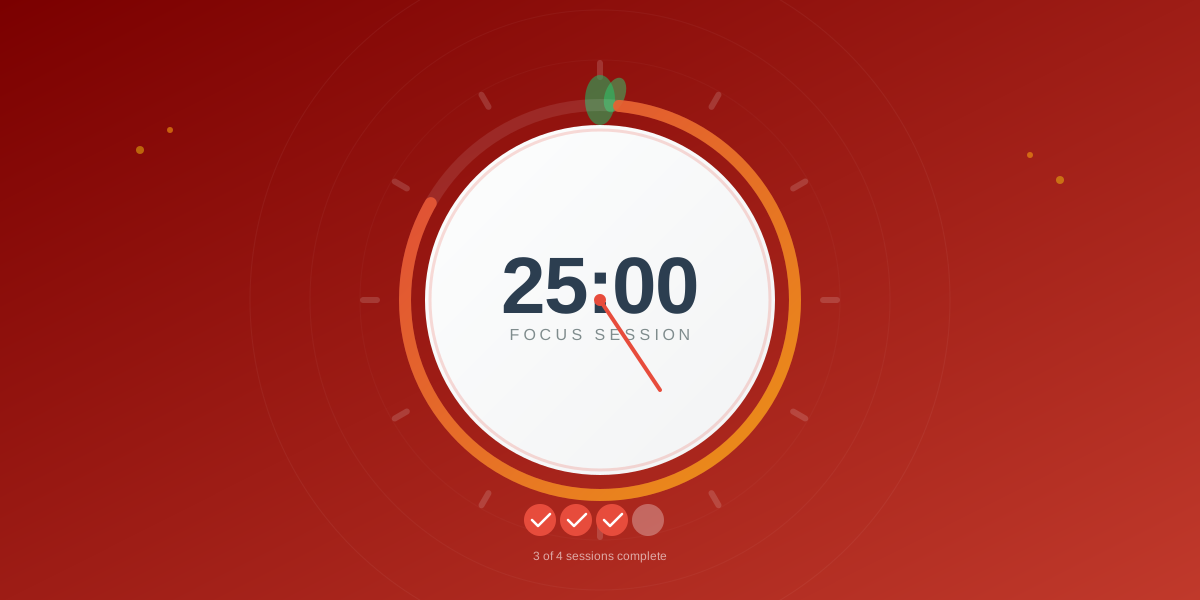
The Pomodoro Technique was developed by Francesco Cirillo in the late 1980s. He used a tomato-shaped kitchen timer (pomodoro is Italian for tomato) to break his work into 25-minute focused intervals, followed by short breaks.
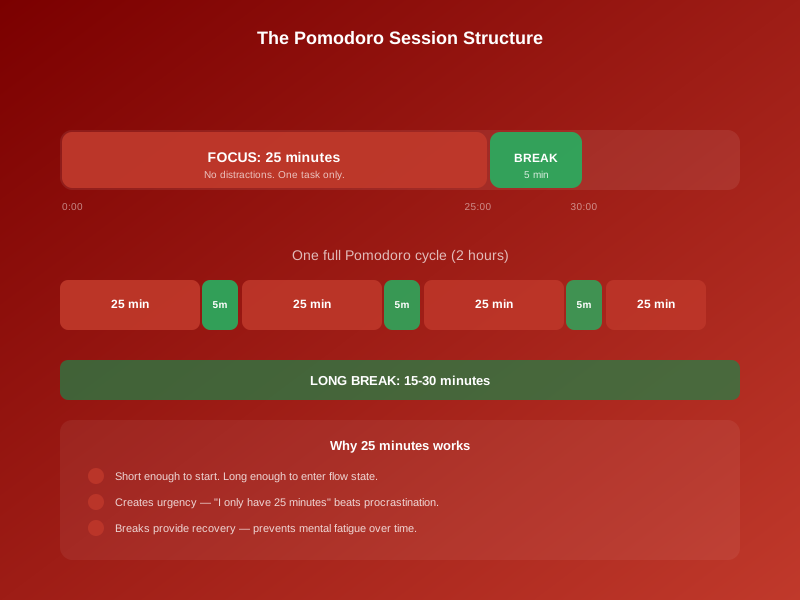
The method is simple:
- Choose a task to work on
- Set a timer for 25 minutes
- Work on the task until the timer rings
- Take a 5-minute break
- Repeat
- After 4 pomodoros, take a longer 15-30 minute break
Simple concept, profound impact. I was skeptical at first—how could 25 minutes make a difference? But the psychology behind it is powerful.
Why 25 Minutes Works
The Psychology of Time Perception
25 minutes is the sweet spot for focused work. It's long enough to make real progress, but short enough that it doesn't feel overwhelming. When I see "3 hours of homework," my brain wants to avoid it. When I see "25 minutes of focused work," my brain thinks "I can do that."
This time perception trick is powerful. I've found that once I start a 25-minute session, I usually want to continue. The hard part is starting, and 25 minutes makes starting easier.
Attention Span Science
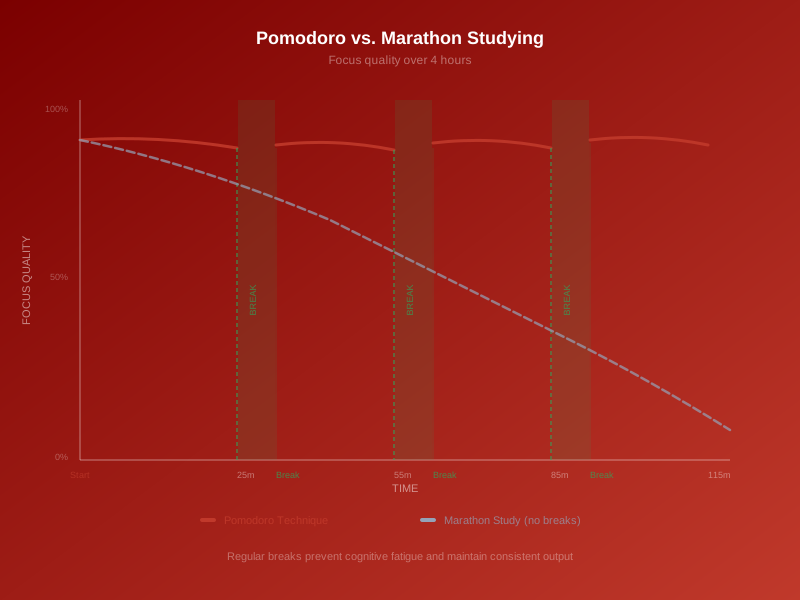
Research shows that the average human attention span for focused work is about 20-30 minutes. After that, attention starts to wane, and productivity decreases. The Pomodoro Technique works with this natural rhythm, not against it.
I used to try to work for hours without breaks, thinking I was being productive. But after about 30 minutes, my focus would drift, and I'd spend more time distracted than working. The Pomodoro Technique acknowledges this reality and builds breaks into the system.
The Power of Deadlines
Even artificial deadlines create urgency. Knowing I only have 25 minutes makes me focus. There's no time to check my phone or get distracted. I have to work, and the deadline creates the urgency I need.
I've noticed that I'm most focused in the last 5 minutes of a pomodoro. The deadline creates urgency, which increases focus. This is the power of time constraints.
Reducing Decision Fatigue
The Pomodoro Technique eliminates decisions. I don't decide when to take a break—the timer decides. I don't decide how long to work—it's always 25 minutes. This reduces decision fatigue and preserves mental energy for actual work.
I used to constantly decide: "Should I take a break now? How long should I work? Am I done yet?" These decisions drained mental energy. The Pomodoro Technique eliminates them.
How to Implement the Pomodoro Technique
Step 1: Choose Your Task
Before starting a pomodoro, choose a specific task. Not "work on chemistry," but "complete problems 1-5 in chapter 7." Specificity helps focus.
I use TalonTodo to break large assignments into specific pomodoro-sized tasks. Each task is something I can complete in 1-4 pomodoros, which makes progress visible and motivating.
Step 2: Set the Timer
Set a timer for exactly 25 minutes. Use a physical timer, a phone app, or a dedicated Pomodoro app. The key is that it's visible and audible.
I use TalonTodo's built-in Pomodoro timer. It's visible on my screen, shows time remaining, and alerts me when time is up. Having it integrated with my task management makes it seamless.
Step 3: Work Until the Timer Rings
Work on your chosen task until the timer rings. No checking your phone. No "quick" email checks. No distractions. Just focused work.
This is the hardest part, but it's also the most important. The technique only works if you actually focus during the 25 minutes. I put my phone in another room, close unnecessary tabs, and commit to the pomodoro.
Step 4: Take a 5-Minute Break
When the timer rings, stop immediately. Take a 5-minute break. Get up, stretch, get water, use the bathroom. Do something that's not work-related.
I used to skip breaks, thinking I'd get more done. But breaks are essential. They prevent burnout, improve focus for the next session, and make the technique sustainable.
Step 5: Repeat
After your break, start another pomodoro. Continue working in 25-minute intervals with 5-minute breaks.
Step 6: Take a Long Break
After 4 pomodoros, take a longer 15-30 minute break. This gives your brain time to rest and recharge.
I take a 30-minute break after 4 pomodoros. I might go for a walk, eat a meal, or do something completely unrelated to work. This longer break is crucial for maintaining focus throughout the day.
Common Mistakes and How to Avoid Them
I've made all of these mistakes. Learn from them:
Mistake 1: Skipping Breaks
I used to think breaks were wasted time, so I'd skip them and keep working. But this led to burnout and decreased focus.
Solution: Breaks are part of the technique, not optional. Take them. Your brain needs rest to maintain focus.
Mistake 2: Getting Distracted During Pomodoros
I'd start a pomodoro, then check my phone "just once," which would break my focus.
Solution: Eliminate distractions before starting. Put your phone away, close unnecessary tabs, and commit to the 25 minutes.
Mistake 3: Not Stopping When the Timer Rings
I'd think "I'm on a roll, I'll just finish this," and keep working past the timer. But this breaks the rhythm and leads to burnout.
Solution: Stop when the timer rings. If you're on a roll, you can start another pomodoro after your break. But respect the timer.
Mistake 4: Choosing Tasks That Are Too Large
I'd try to "work on research paper" for a pomodoro, which was too vague and overwhelming.
Solution: Break large tasks into pomodoro-sized pieces. "Write introduction paragraph" is better than "work on paper."
Mistake 5: Not Tracking Pomodoros
I'd lose track of how many pomodoros I'd done, so I'd forget to take long breaks.
Solution: Track your pomodoros. TalonTodo does this automatically, but you can also use a simple tally system.
Advanced Pomodoro Techniques
Custom Intervals
While 25 minutes is the standard, you can adjust based on your needs. Some people work better with 30-minute or 45-minute intervals. Experiment to find what works for you.
I use 25 minutes for most work, but I use 45-minute intervals for deep creative work when I'm in flow. The key is finding what works for your attention span and task type.
Pomodoro Pairing
Pair pomodoros with other techniques. Use pomodoros for focused work, then use breaks for quick tasks (2-minute rule). This maximizes productivity.
I use pomodoros for focused work, then use my 5-minute breaks for quick tasks like replying to emails or organizing my workspace. This makes breaks productive without breaking focus.
Pomodoro Planning
Plan your day in pomodoros. Estimate how many pomodoros each task will take, then schedule your day accordingly.
I plan my day in pomodoros. "Chemistry homework: 3 pomodoros. History reading: 2 pomodoros. Math problems: 2 pomodoros." This helps me see if my day is realistic and plan accordingly.
Energy-Based Pomodoros
Match pomodoro length to your energy levels. Use longer pomodoros when energy is high, shorter ones when energy is low.
I use 25-minute pomodoros in the morning when I'm fresh, but I might use 20-minute pomodoros in the afternoon when my energy is lower. This works with my natural rhythms.
Real-World Results
Since implementing the Pomodoro Technique consistently:
- More focus: I stay focused during work sessions because I know a break is coming
- Less procrastination: 25 minutes feels manageable, so starting is easier
- Better time estimation: I've learned how long tasks actually take
- More sustainable: Regular breaks prevent burnout
- More productivity: I get more done in less time because I'm actually focused
The impact has been huge. I went from spending 6 hours to finish 3 hours of work to actually finishing in 3 hours. The technique transformed my productivity.
Subject-Specific Applications
For Reading Assignments
I use pomodoros for reading. 25 minutes of focused reading, 5-minute break to process, then another pomodoro. This prevents reading fatigue and improves retention.
For Problem-Solving
I use pomodoros for math and science problems. 25 minutes of focused problem-solving, then a break to let my brain process. This prevents frustration and improves problem-solving ability.
For Writing
I use pomodoros for writing assignments. 25 minutes of focused writing, then a break to review and plan. This prevents writer's block and improves writing quality.
For Studying
I use pomodoros for studying. 25 minutes of active study (not just reading), then a break to let information sink in. This improves retention and prevents study fatigue.
How TalonTodo's Pomodoro Timer Works
I built a Pomodoro timer directly into TalonTodo because I needed it integrated with my task management. Here's how it helps:
Why I built it: I was using separate Pomodoro apps, but they didn't integrate with my tasks. I'd start a pomodoro, then have to switch apps to see what I was working on. I needed everything in one place.
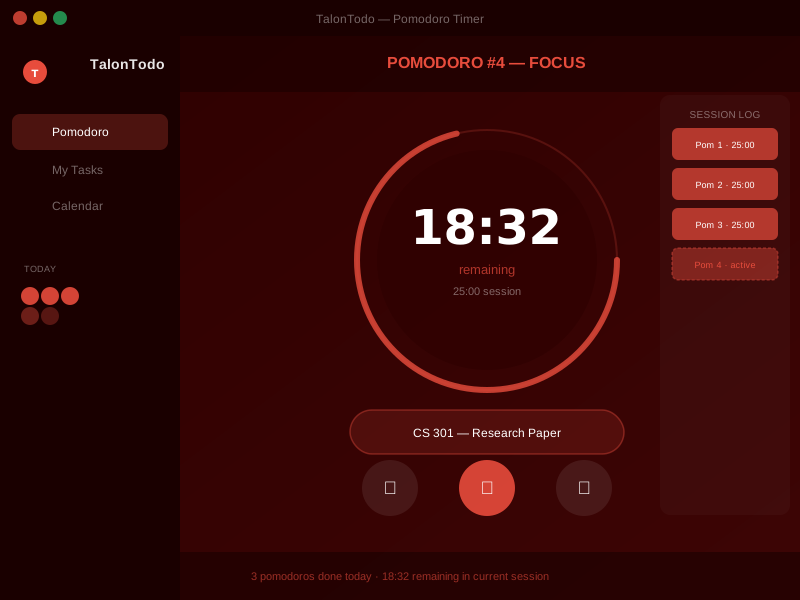
How it helps: TalonTodo's Pomodoro timer is integrated with task management. You can start a pomodoro for a specific task, track how many pomodoros each task takes, and see your productivity patterns. The timer shows on your screen, tracks your sessions automatically, and reminds you to take breaks.
Feature example: When you're working on a task, you can start a pomodoro directly from the task. The timer shows time remaining, and when it's done, it automatically logs the time spent on that task. After 4 pomodoros, it reminds you to take a long break. The app also tracks how many pomodoros different types of tasks take, which helps with time estimation and planning.
The integration makes the technique seamless. You don't have to switch between apps or manually track anything. It just works, which makes it easier to use consistently.
The Science Behind 25 Minutes
Research in cognitive psychology supports the Pomodoro Technique:
- Attention span: Most people can maintain focused attention for 20-30 minutes
- Memory consolidation: Breaks allow the brain to process and consolidate information
- Motivation: Short intervals maintain motivation better than long sessions
- Prevention of fatigue: Regular breaks prevent mental fatigue and maintain performance
The technique works because it aligns with how our brains actually function, not how we think they should function.
Personal Insights
Here's what I've learned from using the Pomodoro Technique:
Starting is easier: Knowing I only have to work for 25 minutes makes starting much easier. I rarely procrastinate when I use pomodoros.
Focus improves: The time constraint creates urgency, which increases focus. I'm more productive in 25 focused minutes than in an hour of distracted work.
Time estimation gets better: Tracking pomodoros helps me learn how long tasks actually take. This improves my planning and reduces overcommitment.
Sustainability: Regular breaks make the technique sustainable. I can work for hours without burning out because I'm taking regular breaks.
Progress is visible: Completing pomodoros gives a sense of progress. I can see that I'm making progress, which is motivating.
Getting Started
Ready to try the Pomodoro Technique? Start this week:
- Pick one task you've been avoiding
- Set a timer for 25 minutes
- Work on the task until the timer rings
- Take a 5-minute break
- Repeat for 2-3 pomodoros
- Notice how you feel (probably more focused and accomplished)
Start with just a few pomodoros. See how it feels. Once you experience the difference, you'll want to use it more.
The Pomodoro Technique is simple, but its impact is profound. Those 25 minutes can change everything. Try it. I bet you'll notice the difference immediately.
About the author Jackson Pearce is a student engineer and the creator of TalonTodo, a productivity app designed to help students manage projects, deadlines, and daily tasks more effectively.