Written by Jackson Pearce Student engineer and creator of TalonTodo
I used to dread group projects. The last one I did before building better systems was a disaster—one person did nothing, another disappeared halfway through, and I ended up doing most of the work myself while trying to coordinate everything via group chat. We got a decent grade, but it was miserable.
Then I learned that group projects don't have to be nightmares. With the right systems and communication, they can actually be valuable learning experiences. The key is setting up structure from the start and using tools that make collaboration easier.
This experience was part of why I built collaboration features into TalonTodo. I needed a way to coordinate group work without the chaos of group chats and scattered documents.
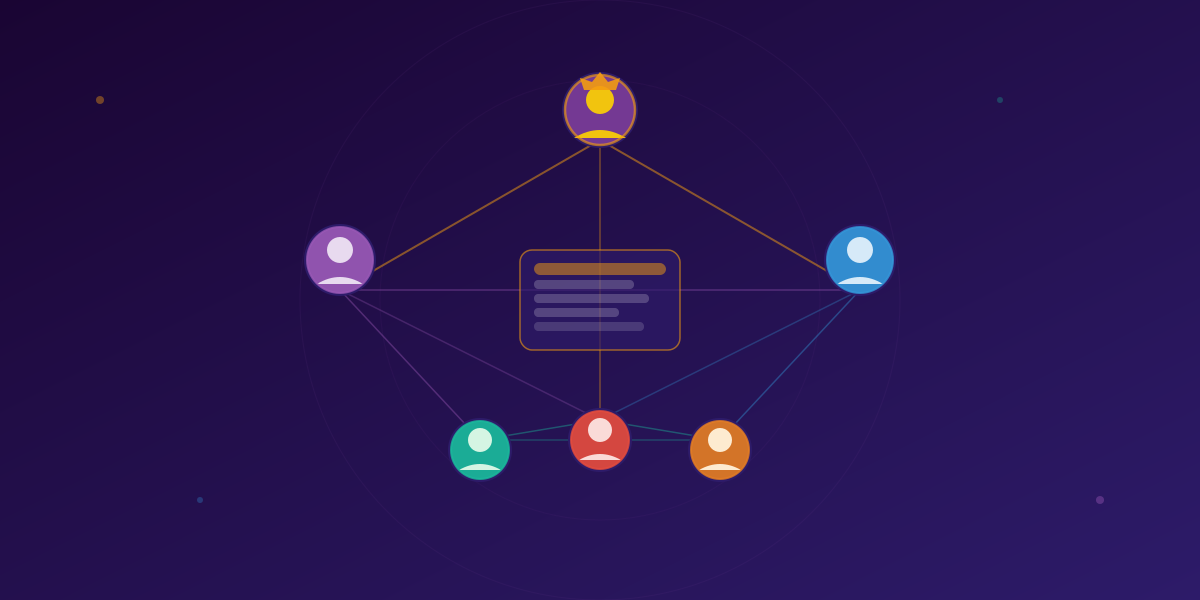
Why Group Projects Actually Matter
Group projects teach skills beyond course content. They teach collaboration, communication, project management, conflict resolution, and leadership. These skills are highly valued in the workplace, making group project experience valuable beyond grades.
I used to see group projects as obstacles to overcome. Now I see them as opportunities to develop skills I'll use throughout my career. The key is approaching them with the right mindset and tools.
Setting Up for Success
Establish Clear Goals and Expectations
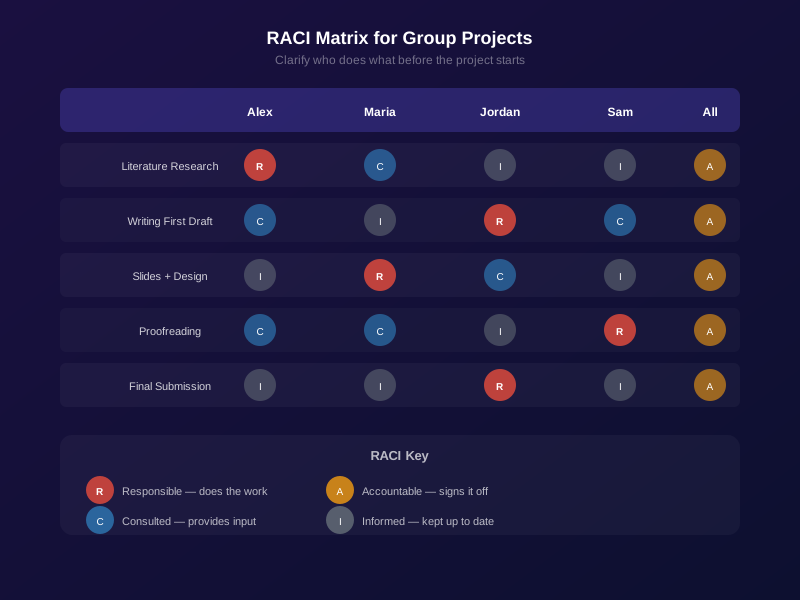
Before diving into work, ensure everyone understands project objectives, individual roles and responsibilities, timeline and deadlines, expected quality standards, and how success will be measured.
I learned this the hard way. In that disastrous project, we never clearly defined roles. Everyone assumed someone else would handle certain tasks. Now I always start by getting everyone on the same page about what we're building and who's responsible for what.
Create a Project Plan Together
Collaboratively develop a plan that breaks the project into manageable tasks. Include task breakdown, assignments, deadlines, milestones, and dependencies.
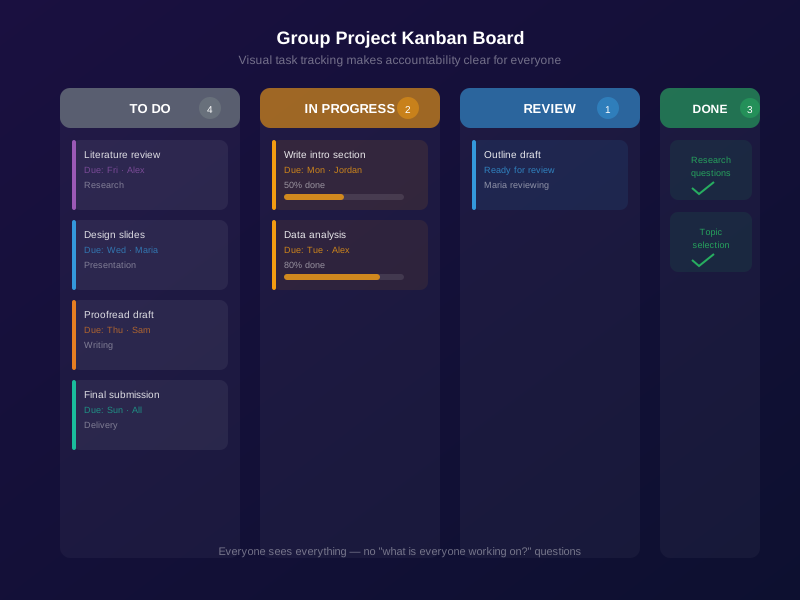
I use TalonTodo's group project features to create shared task lists. Everyone can see what needs to be done, who's responsible, and when it's due. This transparency prevents the "I thought you were doing that" problem.
Choose Roles Based on Strengths
Assign roles that leverage each team member's strengths. Organizer keeps tasks and deadlines on track. Researcher gathers and synthesizes information. Writer/Editor creates and refines written content. Presenter delivers final presentations. Technologist handles digital tools and formatting.
People often perform better when playing to their strengths. I'm good at organization and coding, so I usually take those roles. Others are better at writing or research. We divide work based on strengths, not just evenly.
Communication Strategies
Establish Communication Channels
Decide how the team will communicate and stick to it. Options include group messaging, email for formal updates, shared documents for collaborative editing, and regular meetings.
Use one primary channel to avoid messages getting lost. I've found that having one main channel (like a group in TalonTodo or a dedicated Slack channel) works better than mixing email, text, and other platforms.
Set Communication Expectations
Agree on response times and meeting frequency. Response time expectations (24 hours for non-urgent matters), meeting schedule (weekly, bi-weekly), meeting structure (agenda, action items), and how to handle urgent issues.
Clear expectations prevent misunderstandings. If someone doesn't respond for three days, is that normal or a problem? Setting expectations upfront eliminates guesswork.
Practice Active Listening
Good collaboration requires understanding team members' perspectives. Give full attention (no multitasking), paraphrase to confirm understanding, ask clarifying questions, avoid interrupting, and show empathy and respect.
I used to think I was listening, but I was really just waiting for my turn to talk. Now I actually listen, and it makes collaboration much smoother.
Managing Work and Deadlines
Break Down Large Tasks
Divide the project into smaller, manageable pieces. Each task should be completable in 1-3 hours, have clear deliverables, identify dependencies, and have realistic deadlines.
Large tasks feel overwhelming. Breaking them down makes them manageable. I use TalonTodo to break projects into subtasks, which makes progress visible and keeps everyone motivated.
Use Shared Tools
Collaborative tools make group work easier. Task management tracks who's doing what and when. Shared documents enable collaborative editing. Cloud storage makes file sharing easy. Calendar coordinates schedules and deadlines. Video conferencing enables meetings when in-person isn't possible.
I built TalonTodo's group features specifically for this. Shared task lists, assigned tasks, deadlines everyone can see, and activity feeds that show progress. It eliminates the "where are we on this?" questions.
Set Intermediate Deadlines
Don't wait until the final deadline. Create milestones: draft deadlines, review deadlines, integration deadlines, and final deadline buffer.
Intermediate deadlines prevent last-minute rushes and catch problems early. I always set milestones at least a week before the final deadline, which gives us time to fix issues.
Regular Check-Ins
Schedule regular team meetings to review progress, address blockers, adjust plan if needed, ensure everyone feels included, and celebrate progress.
I schedule weekly check-ins for group projects. Even if it's just 15 minutes, it keeps everyone aligned and catches problems early.
Handling Conflicts and Challenges
Address Issues Early
Don't let problems fester. Address concerns promptly. Use "I" statements ("I feel concerned about..." not "You never..."), focus on the problem not the person, seek understanding by asking questions, and find common ground.
I used to avoid conflict, which made things worse. Now I address issues early and directly, which usually resolves them quickly.
Create a Safe Space for Feedback
Establish norms for giving and receiving feedback. Feedback should be constructive and specific, focus on work not personal attributes, be open to receiving feedback yourself, and use feedback to improve not to blame.
Good feedback improves the project. Bad feedback creates tension. Setting norms upfront helps ensure feedback is constructive.
When to Seek Help
Sometimes teams need external support. If conflicts persist despite discussion, if a team member isn't contributing, if the project scope seems unmanageable, or if you're falling behind deadlines, reach out to your instructor or TA.
I've had to do this once. It was uncomfortable, but it was the right call. The instructor helped us restructure the project and get back on track.
Ensuring Quality Work
Review Before Submission
Build time for review and revision into your timeline. Individual team members review their own work, cross-review (team members review each other's work), full team review of integrated project, and final polish before submission.
I always build in at least two days for review before the deadline. This catches errors and ensures quality.
Maintain Consistent Quality Standards
Establish quality expectations early. Writing style and format guidelines, research standards and citation requirements, presentation expectations, and technical requirements.
Consistent standards prevent integration problems later. If everyone uses different formatting, combining pieces is a nightmare.
Integrate Individual Contributions Smoothly
Plan how individual pieces will come together. Use consistent formatting and style, create clear connections between sections, ensure smooth transitions, and have one person do final integration review.
I usually volunteer for integration because I'm good at it. Having one person handle final integration ensures consistency.
Time Management for Group Projects
Start Early
Begin working on group projects as soon as they're assigned. Early start provides buffer time, allows for unexpected challenges, reduces stress for all team members, and produces better quality work.
I used to wait until the deadline approached. Now I start immediately, which gives us time to do quality work and handle unexpected issues.
Manage Individual Contributions
Each team member must manage their own time. Block out dedicated time for group project work, complete tasks before deadlines, communicate proactively if you'll be late, and don't rely on others to remind you.
I use TalonTodo to track my individual contributions to group projects. I set personal deadlines that are earlier than group deadlines, which gives me buffer time.
Plan for Integration Time
Remember that combining individual pieces takes time. Schedule dedicated integration sessions, allow time for formatting and editing, plan for unexpected challenges, and build in buffer time before final deadline.
Integration always takes longer than expected. I plan for at least a full day of integration work, sometimes more for complex projects.
How TalonTodo Helps with Group Projects
I built TalonTodo's group features specifically to solve the problems I experienced in group projects. Here's how it helps:
Why I built it: I was frustrated with coordinating group work via group chats and scattered documents. I needed a tool that would centralize everything—tasks, deadlines, communication, progress tracking.
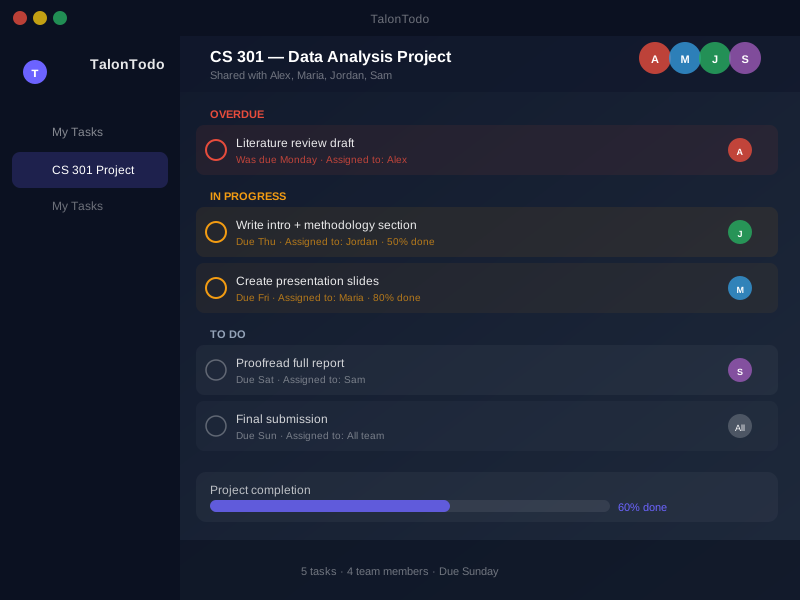
How it helps: TalonTodo's group features create shared task lists where everyone can see what needs to be done, who's responsible, and when it's due. Tasks can be assigned to specific team members, deadlines are visible to everyone, and activity feeds show progress. This eliminates the "who's doing what?" confusion.
Feature example: The shared task lists feature lets groups create project-specific task lists. Tasks can be assigned to team members, given deadlines, and tracked. Everyone can see the full picture of the project, which prevents the coordination problems I used to experience. The activity feed shows when tasks are completed, which keeps everyone motivated and informed.
The app also helps with communication. Instead of scattered group chats, project-related communication happens in context with tasks. Comments on tasks, updates on progress, questions about requirements—everything is organized and searchable.
Real-World Example
Last semester, I had a group project for a software engineering class. We had to build a web application in teams of four over six weeks. Using TalonTodo's group features, we:
- Created a shared task list with all project milestones
- Assigned tasks based on each person's strengths
- Set intermediate deadlines for each milestone
- Used the activity feed to track progress
- Communicated through task comments instead of group chat
The result? We finished early, the code was well-organized, and everyone contributed equally. It was the smoothest group project I've ever done.
Common Mistakes to Avoid
I've made these mistakes. Learn from them:
Poor communication: Not sharing updates or asking for help. Communication is everything in group projects.
Uneven workload: Some people doing more than their fair share. Use task assignment features to ensure fair distribution.
Last-minute work: Rushing to complete tasks at the deadline. Start early and set intermediate deadlines.
Lack of planning: Jumping in without a clear structure. Plan first, then execute.
Avoiding conflict: Letting problems grow instead of addressing them. Address issues early and directly.
Not reviewing: Submitting work without checking quality. Always build in review time.
The Path Forward
Group projects are an opportunity to develop valuable skills. By applying these strategies and using the right tools, you'll not only produce better work but also grow as a collaborator and leader.
The key is structure. Set up systems from the start, communicate clearly, and use tools that make collaboration easier. With the right approach, group projects can be valuable learning experiences instead of sources of stress.
Start your next group project with these strategies. Set up clear communication, create a shared task list, assign roles based on strengths, and use tools that keep everyone aligned. You'll be amazed at how much smoother it goes.
A shared list with room for the group
Most free plans cap the number of people. A Group Project Planner for Students compares those caps: Asana Personal is 2 users, Todoist Beginner is 5 people per project, and a TalonTodo group does not have a member cap.
About the author Jackson Pearce is a student engineer and the creator of TalonTodo, a productivity app designed to help students manage projects, deadlines, and daily tasks more effectively.